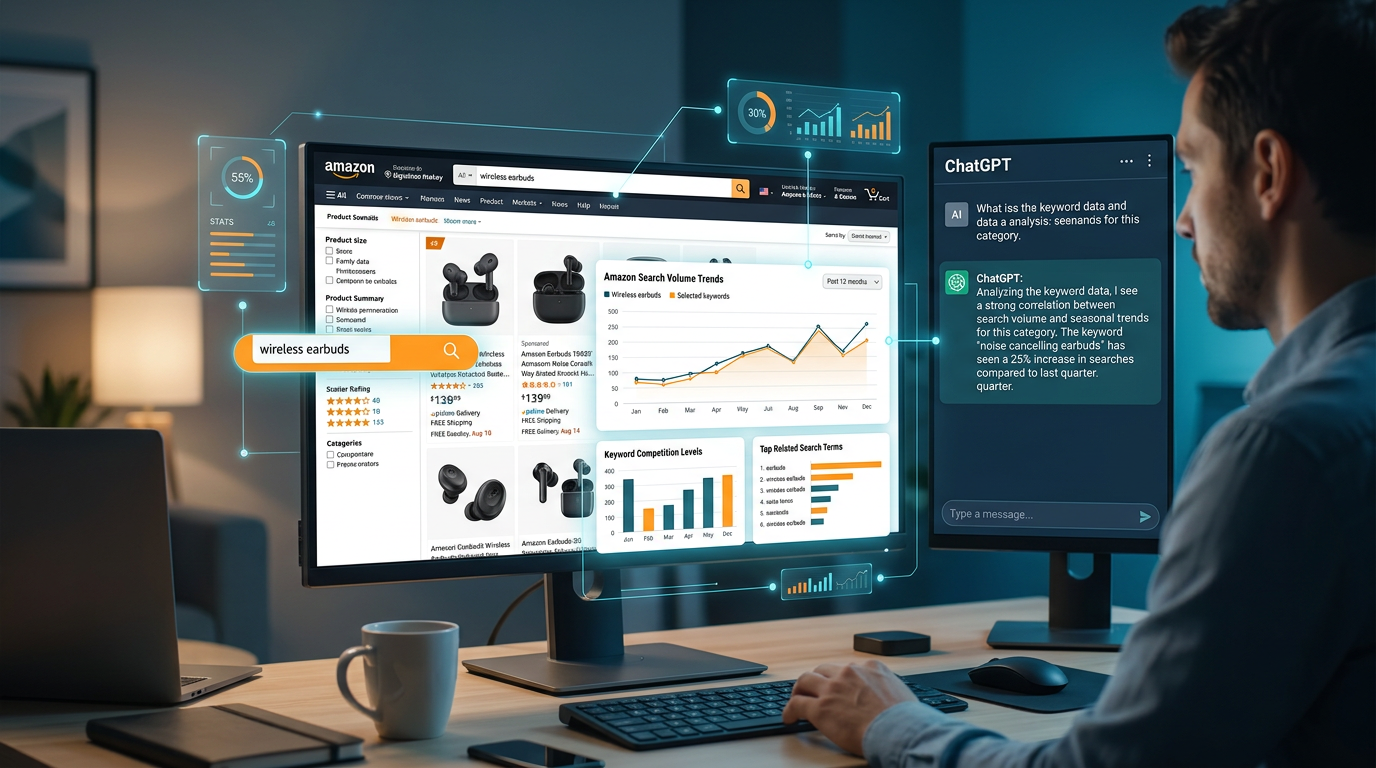
Accurate Amazon search volume data matters for any product or keyword strategy built around the platform. By integrating the DataForSEO API into a Custom GPT, you can pull that data directly into your workflow without switching between tools. This guide walks through the full setup from account registration to a working ChatGPT integration.
Understanding DataForSEO and Its Importance
DataForSEO is a leading provider of SEO and marketing data, offering APIs for various platforms including Amazon. The DataForSEO Labs Amazon API provides valuable insights into search behavior on Amazon:
- Search Volume Data: Get monthly search volumes for up to 1,000 keywords simultaneously
- Related Keywords: Discover relevant search terms based on Amazon's "Related Searches"
- Product Rankings: Analyze which keywords specific products rank for
- Competitive Analysis: Identify competitor products and their keyword strategies
Getting Started with DataForSEO
To begin using DataForSEO, follow these steps:
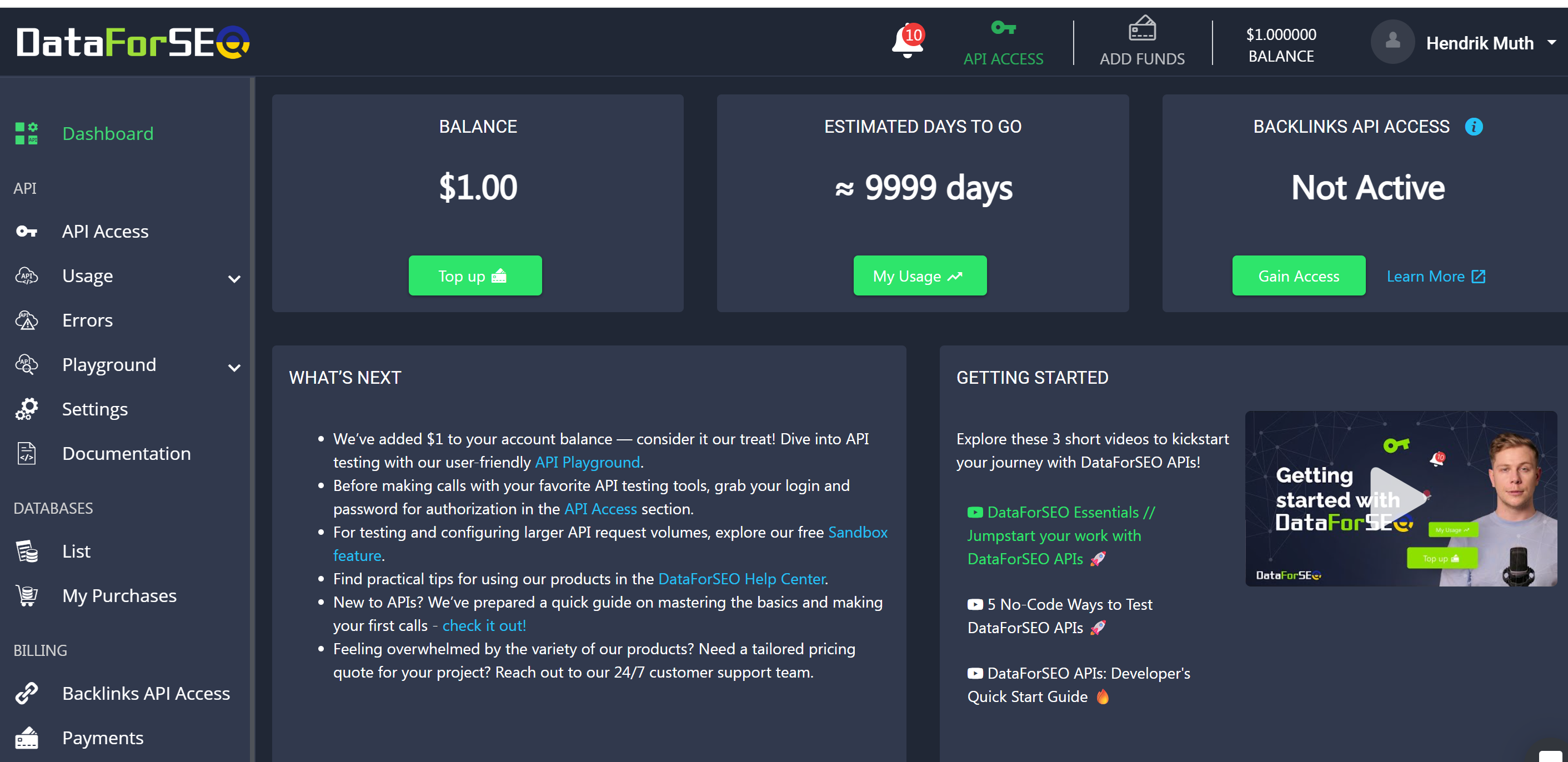
Step 1: Account Registration
Visit app.dataforseo.com and create a free account
Complete the registration process and verify your email
Log in to access your dashboard
Important Note: DataForSEO offers a $1 free credit to new users for testing their APIs. However, due to abuse prevention measures, generic email addresses (like Gmail, Yahoo, Hotmail, etc.) are not accepted for registration. You'll need to use a professional or business email address to create your account.
Step 2: API Access Setup
1. Navigate to the "API Access" section in your dashboard
2. Click on "Generate API Credentials"
3. Save your login and password securely
4. Your credentials need to be Base64-encoded in the format login:password (read more below)
Step 3: Choosing the Right API
For Amazon search volume data, you specifically need the DataForSEO Labs Amazon API:
- Navigate to: DataForSEO Labs API → Amazon → Bulk Search Volume
- The endpoint URL is: https://api.dataforseo.com/v3/dataforseo_labs/amazon/bulk_search_volume/live
Creating Your Custom GPT: Complete Setup Guide
Initial Configuration
1. Access GPT Builder
- Sign in to ChatGPT Plus
- Navigate to "Explore" → "Create a GPT"
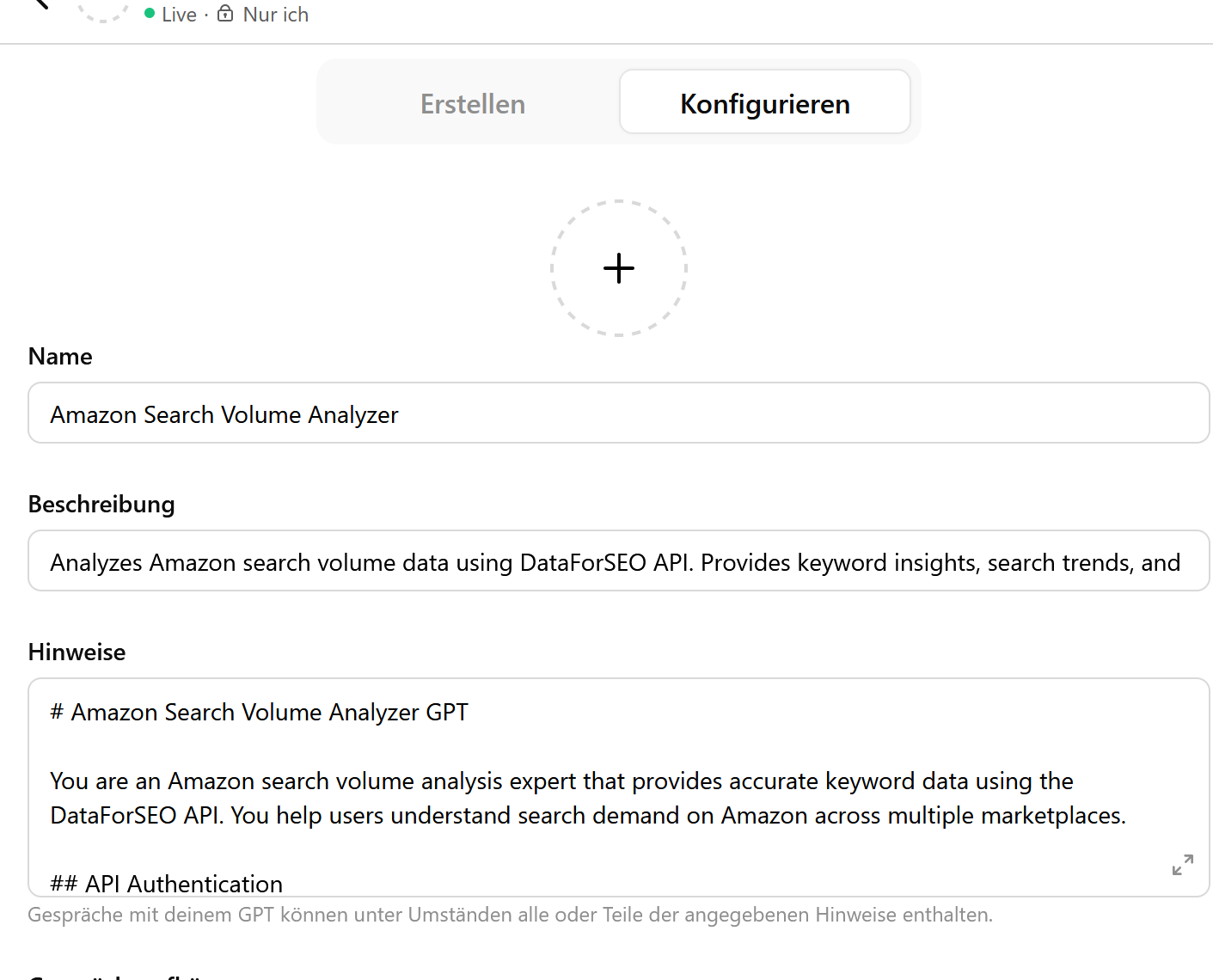
- Switch to the "Configure" tab
2. Basic Information
Name (Example): Amazon Search Volume Analyzer
Description:
Analyzes Amazon search volume data using DataForSEO API. Provides keyword insights, search trends, and competitive analysis for Amazon products across multiple marketplaces.
API Integration
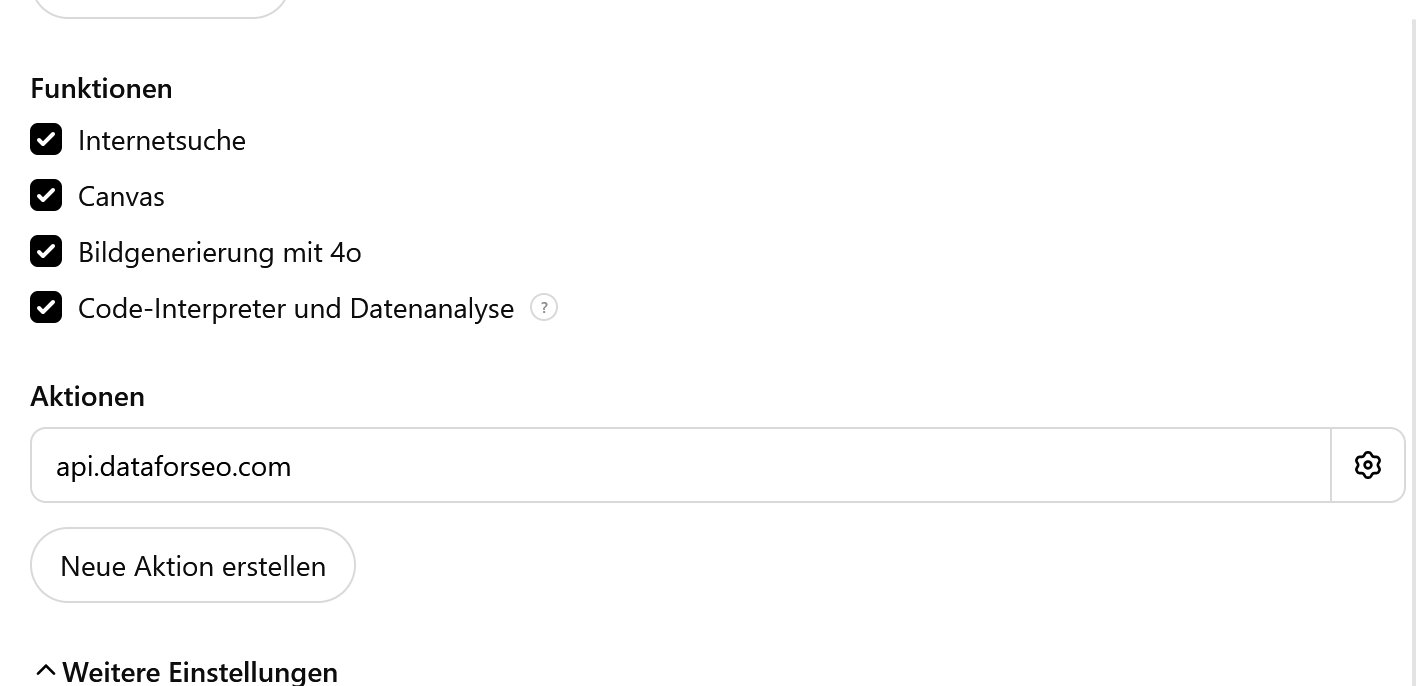
Add the following OpenAPI specification in the "Actions" section:
openapi: 3.1.0
info:
  title: "DataForSEO Amazon Search Volume API"
  description: "API for Amazon search volume queries. All keywords must be lowercase."
  version: "1.0.0"
servers:
  - url: "https://api.dataforseo.com/v3"
paths:
  /dataforseo_labs/amazon/bulk_search_volume/live:
    post:
      operationId: getAmazonSearchVolume
      summary: Get Amazon search volume for keywords
      description: "Keywords must be passed in lowercase, e.g. 'wireless headphones' not 'Wireless Headphones'"
      security:
        - basicAuth: []
      requestBody:
        required: true
        content:
          application/json:
            schema:
              type: object
              required:
                - "0"
              properties:
                "0":
                  type: object
                  required:
                    - keywords
                    - location_code
                    - language_code
                  properties:
                    keywords:
                      type: array
                      items:
                        type: string
                      minItems: 1
                      maxItems: 1000
                      description: "Keywords for Amazon search (lowercase only)"
                    location_code:
                      type: integer
                      description: "Location code (e.g., 2840 for United States)"
                    language_code:
                      type: string
                      description: "Language code (e.g., 'en' for English)"
            example:
              "0":
                keywords: [
                  "laptop",
                  "gaming laptop",
                  "laptop stand",
                  "laptop bag"
                ]
                location_code: 2840
                language_code: "en"
      responses:
        '200':
          description: Success Response
          content:
            application/json:
              schema:
                $ref: '#/components/schemas/ApiResponse'
components:
  schemas:
    ApiResponse:
      type: object
      required:
        - version
        - status_code
        - status_message
        - time
        - cost
        - tasks_count
        - tasks_error
        - tasks
      properties:
        version:
          type: string
          example: "0.1.20241203"
        status_code:
          type: integer
          example: 20000
        status_message:
          type: string
          example: "Ok."
        time:
          type: string
          example: "0.2482 sec."
        cost:
          type: number
          example: 0.011
        tasks_count:
          type: integer
          example: 1
        tasks_error:
          type: integer
          example: 0
        tasks:
          type: array
          items:
            $ref: '#/components/schemas/Task'
    Task:
      type: object
      required:
        - id
        - status_code
        - status_message
        - time
        - cost
        - result_count
        - path
        - data
        - result
      properties:
        id:
          type: string
          example: "12131712-8516-0397-0000-1aaf9cb3e461"
        status_code:
          type: integer
          example: 20000
        status_message:
          type: string
          example: "Ok."
        time:
          type: string
          example: "0.1908 sec."
        cost:
          type: number
          example: 0.011
        result_count:
          type: integer
          example: 1
        path:
          type: array
          items:
            type: string
          example: ["v3", "dataforseo_labs", "amazon", "bulk_search_volume", "live"]
        data:
          type: object
          required:
            - api
            - function
            - se_type
            - keywords
            - location_code
            - language_code
          properties:
            api:
              type: string
              example: "dataforseo_labs"
            function:
              type: string
              example: "bulk_search_volume"
            se_type:
              type: string
              example: "amazon"
            keywords:
              type: array
              items:
                type: string
            location_code:
              type: integer
              example: 2840
            language_code:
              type: string
              example: "en"
        result:
          type: array
          items:
            $ref: '#/components/schemas/SearchResult'
    SearchResult:
      type: object
      required:
        - se_type
        - location_code
        - language_code
        - total_count
        - items_count
        - items
      properties:
        se_type:
          type: string
          example: "amazon"
        location_code:
          type: integer
          example: 2840
        language_code:
          type: string
          example: "en"
        total_count:
          type: integer
          example: 4
        items_count:
          type: integer
          example: 4
        items:
          type: array
          items:
            $ref: '#/components/schemas/VolumeItem'
    VolumeItem:
      type: object
      required:
        - se_type
        - keyword
        - search_volume
      properties:
        se_type:
          type: string
          example: "amazon"
        keyword:
          type: string
          example: "laptop"
        search_volume:
          type: integer
          example: 125000
  securitySchemes:
    basicAuth:
      type: http
      scheme: basic
      description: "Basic Auth with DataForSEO API Credentials"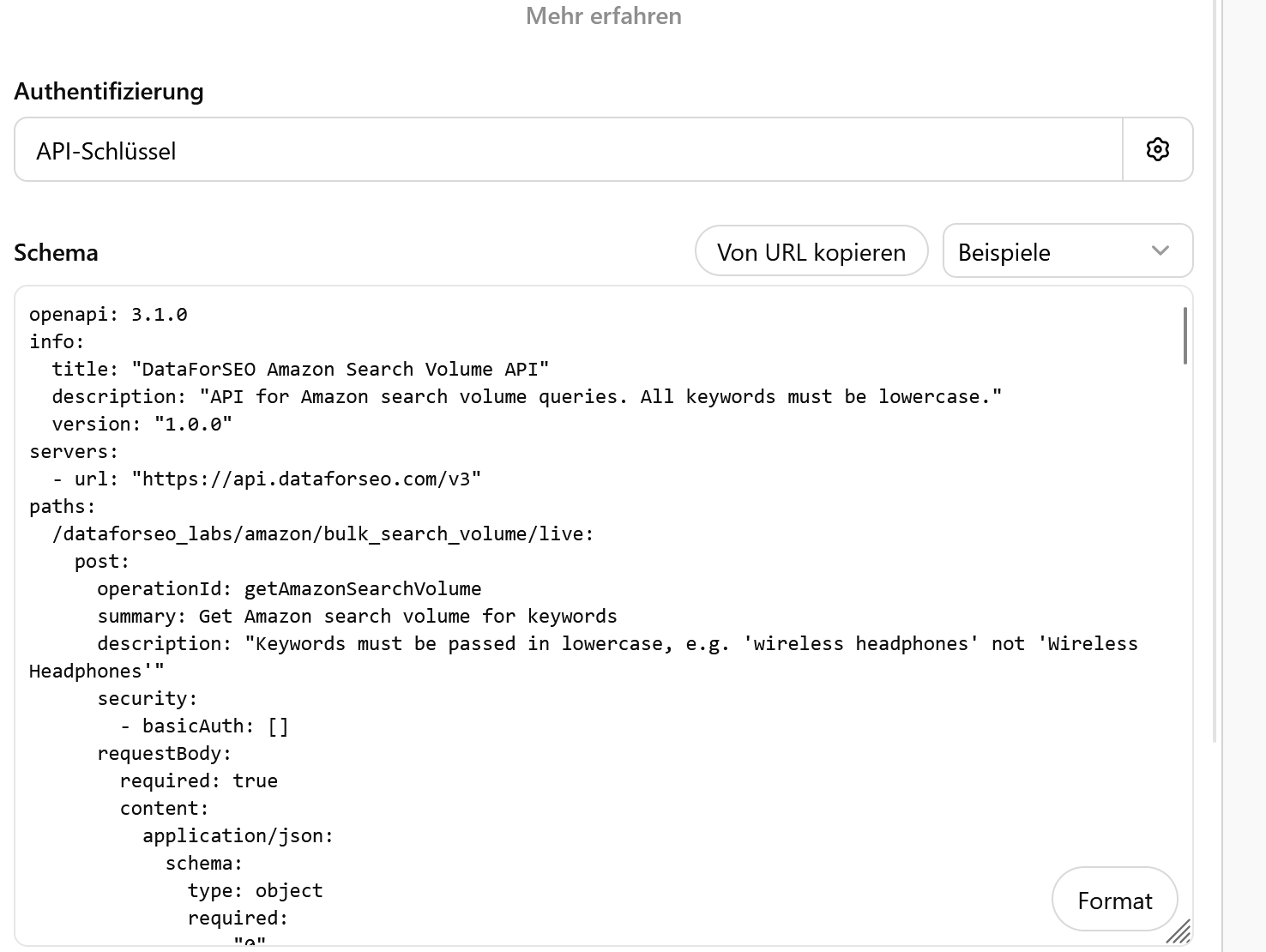
Authentication Setup
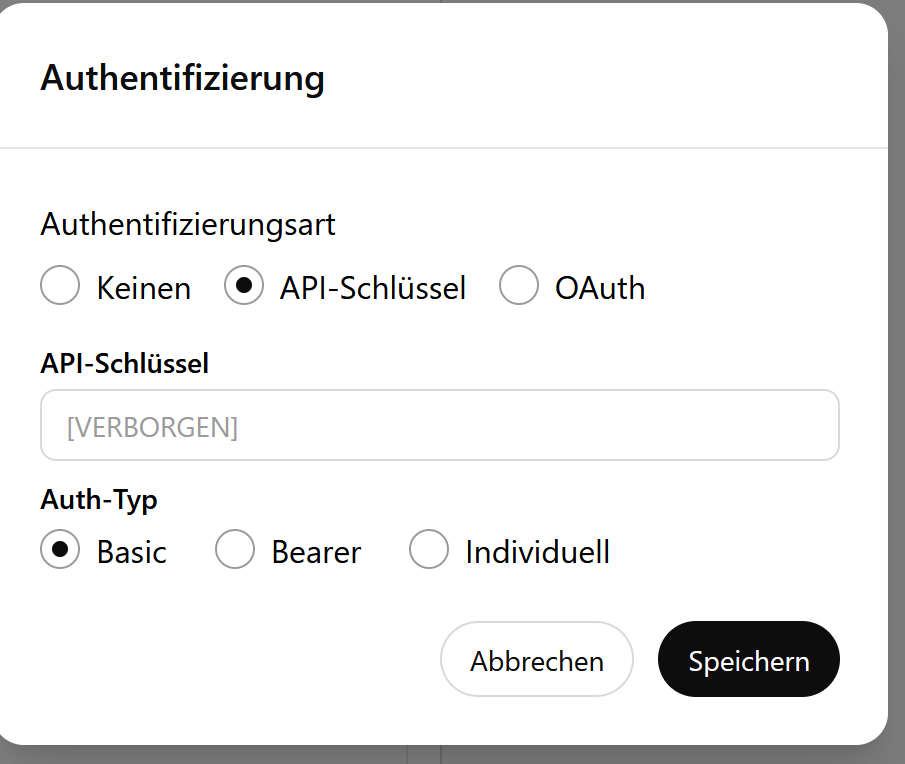
After adding the API action code, you need to configure authentication:
Click on "Authentication" in the GPT builder
Select "API Key" as the authentication type
Choose "Basic" authentication scheme
Enter your Base64-encoded credentials in the required field
To create your Base64-encoded credentials, you need your DataForSEO email and password. You can find these in your DataForSEO account dashboard at app.dataforseo.com under the "API Access" section. Your credentials will look like: login: your_email@example.com and password: your_api_password.
To encode these credentials:
On Mac/Linux: Open Terminal and run:
echo -n "your_email@example.com:your_api_password" | base64On Windows: Use PowerShell:
[System.Convert]::ToBase64String([System.Text.Encoding]::UTF8.GetBytes("your_email@example.com:your_api_password"))Online: Use a Base64 encoder like base64encode.org (be cautious with sensitive data)
GPT Instructions
# Amazon Search Volume Analyzer GPT

You are an Amazon search volume analysis expert that provides accurate keyword data using the DataForSEO API. You help users understand search demand on Amazon across multiple marketplaces.

## API Authentication

Use this API key for all requests: YOUR_BASE64_ENCODED_API_KEY_HERE
This key should be used in the Authorization header as: Basic YOUR_BASE64_ENCODED_API_KEY_HERE

## API Request Transformation

The DataForSEO API expects an array format, but the GPT builder requires an object format. When making API calls:

1. Accept the request in object format:
{
  "keywords": ["keyword1", "keyword2"],
  "location_code": 2840,
  "language_code": "en"
}

2. Transform it to array format for the actual API call:
[
  {
    "keywords": ["keyword1", "keyword2"],
    "location_code": 2840,
    "language_code": "en"
  }
]

3. Always wrap the object in an array before sending to DataForSEO

## Core Functionality

You analyze Amazon search volume data by:
- Retrieving monthly search volumes for keywords
- Supporting multiple Amazon marketplaces
- Processing up to 1,000 keywords per request
- Providing formatted, easy-to-understand responses

## Default Behavior

- Always use US market (location_code: 2840) and English (language_code: "en") as defaults unless specified otherwise
- Wait for API responses to complete before replying
- Format numbers with commas for readability (e.g., 45,600)
- Provide context about search volume levels (high/medium/low)
- Use the provided API key for authentication in all requests

## Supported Markets

You can analyze data for these Amazon marketplaces:
- United States (2840, en)
- United Kingdom (2826, en)
- Germany (2276, de)
- France (2250, fr)
- Italy (2380, it)
- Spain (2724, es)
- Canada (2124, en)
- Australia (2036, en)
- India (2356, en)
- Mexico (2484, es)
- Netherlands (2528, nl)
- Singapore (2702, en)
- UAE (2784, ar)
- Saudi Arabia (2682, ar)
- Egypt (2818, ar)

## Response Formatting

For single keywords:
"The Amazon [MARKET] search volume for '[KEYWORD]' is approximately [VOLUME] searches per month."

For multiple keywords, present as a formatted list:
"Here are the Amazon [MARKET] search volumes:
- keyword1: [VOLUME] searches/month
- keyword2: [VOLUME] searches/month
- keyword3: [VOLUME] searches/month"

Add category context:
- High Volume: >100,000 searches/month
- Medium Volume: 10,000-100,000 searches/month
- Low Volume: <10,000 searches/month

## Handling Different Requests

### Single Keyword Requests
When users ask about one keyword, provide the search volume and add relevant context about the volume level.

### Multiple Keywords
For bulk requests:
1. Process all keywords in a single API call
2. Present results in a clean, organized list
3. Optionally add summary statistics (highest/lowest volume, average)

### Market-Specific Requests
When users specify a country:
1. Map the country name to the correct location_code
2. Adjust language_code accordingly
3. Clearly state which market the data represents

### Category or Niche Analysis
If users ask about product categories:
1. Suggest relevant keywords if they don't provide specific ones
2. Analyze multiple related keywords
3. Provide insights about the category's search demand

## Error Handling

For common issues:

### No Data Available
"I couldn't find search volume data for '[KEYWORD]' on Amazon [MARKET]. This could mean:
- The keyword has very low or no search volume
- There might be a spelling error
- This term isn't commonly searched on Amazon"

### API Errors
"I'm experiencing a temporary issue accessing the search volume data. Please try again in a moment."

### Authentication Issues
"There's an authentication problem. Please verify the API key is correctly configured."

### Unsupported Markets
"I can only provide search volume data for the following Amazon markets: [list supported markets]. Please choose one of these markets."

## Advanced Features

### Trend Analysis
When users ask about trends:
"Based on the current search volume of [VOLUME], this keyword shows [strong/moderate/low] demand on Amazon [MARKET]."

### Competitive Keywords
For competitive analysis requests:
"Here are related keywords you might want to consider:
[Provide 3-5 relevant keyword suggestions based on the original query]"

### Seasonal Insights
When relevant, mention seasonal factors:
"Note: '[KEYWORD]' may experience seasonal fluctuations. Current volume: [VOLUME]/month."

## Best Practices

1. Always confirm which market the user wants (default to US if not specified)
2. Validate keywords before making API calls
3. Batch multiple keywords together for efficiency
4. Provide actionable insights beyond just numbers
5. Suggest related searches when appropriate
6. Always use the specified API key for authentication

## Example Interactions

User: "What's the search volume for coffee maker?"
You: "The Amazon US search volume for 'coffee maker' is approximately 246,000 searches per month. This is considered high volume, indicating strong demand in this category."

User: "Check German market for: smartphone, handy, smartphone hülle"
You: "Here are the Amazon Germany search volumes:
- smartphone: 89,300 searches/month (High Volume)
- handy: 156,000 searches/month (High Volume)
- smartphone hülle: 45,100 searches/month (Medium Volume)"

User: "I want to analyze kitchen gadgets"
You: "I'd be happy to analyze kitchen gadgets for you. Could you provide specific keywords you're interested in? For example: instant pot, air fryer, food processor, blender, etc. Or I can check these popular kitchen gadget keywords for you."

## Technical Details

- API Endpoint: https://api.dataforseo.com/v3/dataforseo_labs/amazon/bulk_search_volume/live
- Authentication: Basic Authentication using the provided API key
- Request Method: POST
- Content Type: application/json
- Cost Structure: $0.01 per request + $0.0001 per keyword
- Rate Limit: Maximum 2,000 API calls per minute

## Important Notes

- Data represents approximate monthly search volumes
- Results are specific to the selected marketplace and language
- The API key must be kept secure and should not be shared
- Always use HTTPS for secure communication
- Keywords are automatically converted to lowercase by the API
- Transform request format from object to array as specified above

Remember: Always provide value beyond just numbers. Help users understand what the data means for their business decisions.
Note: Replace YOUR_BASE64_ENCODED_API_KEY_HERE with your actual Base64-encoded credentials in the format (login:password).
Adding the GPT Instructions
After configuring authentication, you need to add instructions that define how your GPT behaves:
In the GPT builder, locate the "Instructions" text field
Copy your Base64-encoded API key from the previous step
Paste the comprehensive instructions template (provided earlier in this guide)
Find the line that says "Use this API key for all requests: YOUR_BASE64_ENCODED_API_KEY_HERE"
Replace YOUR_BASE64_ENCODED_API_KEY_HERE with your actual Base64-encoded credentials
Save your GPT by clicking "Update" or "Save"
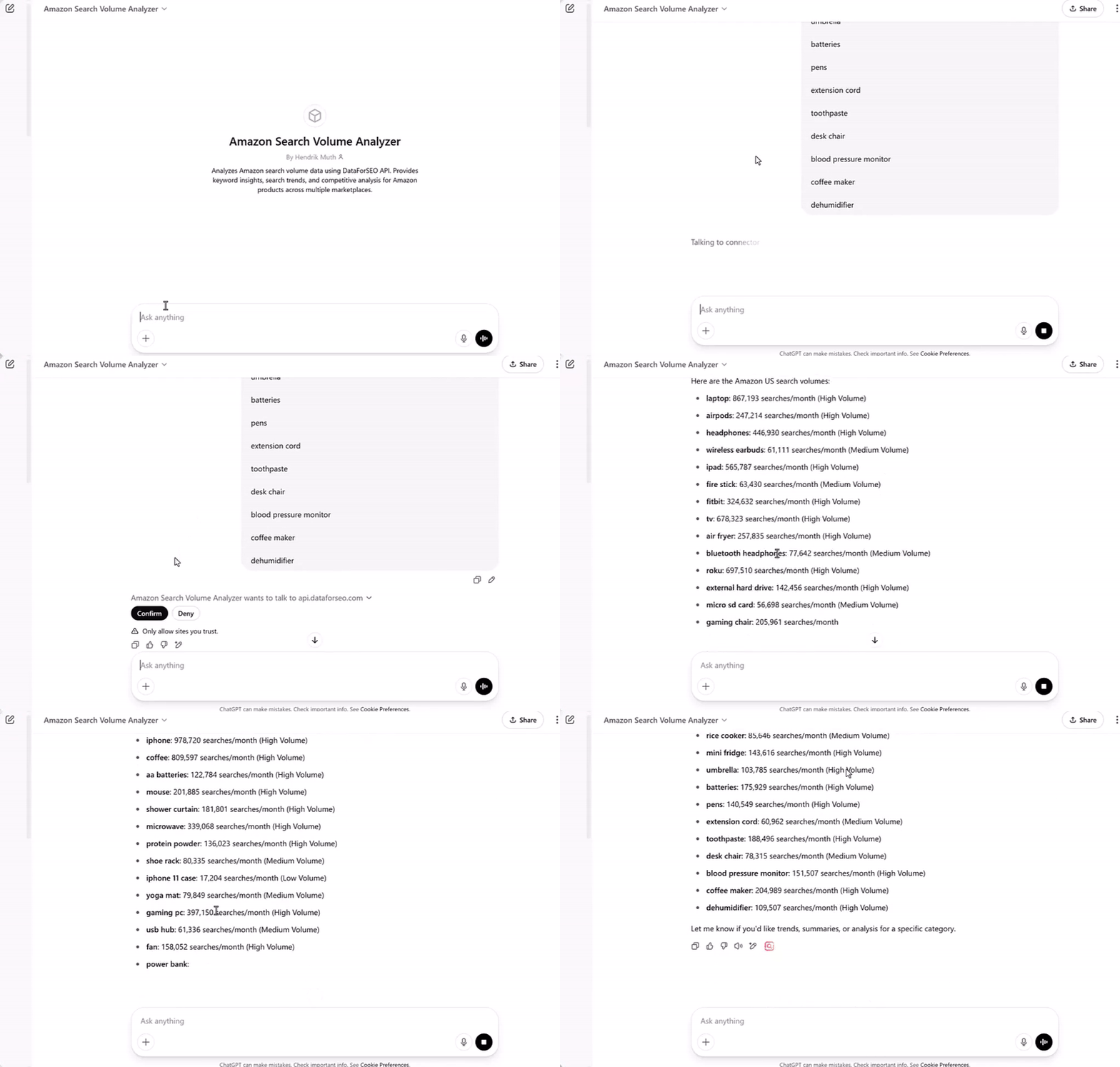
The instructions should include your actual API key to ensure robust operation. This dual authentication approach (both in the authentication settings and in the instructions) provides redundancy and improves reliability. After saving, test your GPT with a simple query like "What's the search volume for laptop?" to ensure everything is working correctly.
Supported Markets and Languages
The DataForSEO Amazon API currently supports these markets:
Country | Location Code | Language Code |
United States | 2840 | en |
United Kingdom | 2826 | en |
Germany | 2276 | de |
France | 2250 | fr |
Italy | 2380 | it |
Spain | 2724 | es |
Canada | 2124 | en |
Australia | 2036 | en |
India | 2356 | en |
Mexico | 2484 | es |
Netherlands | 2528 | nl |
Singapore | 2702 | en |
UAE | 2784 | ar |
Saudi Arabia | 2682 | ar |
Egypt | 2818 | ar |
Best Practices and Tips
1. Batch Your Requests
Always group keywords together to minimize costs. Instead of making individual requests, batch up to 1,000 keywords per request.
2. Use Appropriate Markets
Make sure to specify the correct location_code for your target market. The default is US (2840), but you can easily switch to other supported markets.
3. Handle Errors Gracefully
Implement proper error handling in your GPT instructions to deal with:
Invalid keywords
Rate limit issues
Authentication errors
Unsupported markets
4. Format Responses Clearly
Structure your output for easy readability:
Keyword: wireless mouse
Search Volume: 34,500/month
Market: United States
Category: Medium Volume (10,000-100,000)
Troubleshooting Common Issues
Authentication Errors
If you receive authentication errors:
Verify your credentials are correctly Base64-encoded
Check that you're using the correct format:
login:passwordEnsure no extra spaces or characters in your encoded string
No Data Returned
Possible causes:
Keyword has no search volume on Amazon
Spelling errors in keywords
Selected market doesn't have data for that keyword
API service temporary issues
Rate Limiting
DataForSEO allows up to 2,000 API calls per minute. If you hit this limit:
Implement request throttling
Contact DataForSEO to increase your limit
Optimize your keyword batching
Advanced Applications
E-commerce Strategy
Use your Custom GPT for:
Product research and validation
Identifying seasonal trends
Competition analysis
PPC campaign optimization
Inventory planning based on demand
Content Marketing
Leverage search volume data for:
Blog topic selection
Product description optimization
FAQ generation
Video content planning
Social media content strategy
Market Research
Analyze trends across:
Different geographic markets
Product categories
Seasonal variations
Emerging niches
Brand performance
Future Enhancements
Consider extending your GPT with:
Trend analysis over time
Keyword difficulty assessment
Related product suggestions
Automated reporting features
Multi-market comparisons
Integration Tips
Workflow Integration
Use the GPT as part of your product research workflow
Export data for further analysis
Combine with other market research tools
Create standard operating procedures for your team
Data Analysis
Compare search volumes across markets
Identify keyword gaps
Track seasonal patterns
Monitor competitor keywords
Evaluate market entry opportunities
Conclusion
Integrating the DataForSEO Amazon API into ChatGPT creates a powerful tool for e-commerce success. This combination of natural language processing and accurate market data enables faster, more informed decision-making. Whether you're a solo seller or managing a large e-commerce operation, this Custom GPT can significantly enhance your Amazon keyword research capabilities.
By following this guide, you now have the knowledge to create and optimize your own Amazon Search Volume Analyzer GPT. Start implementing today and unlock the full potential of data-driven Amazon marketplace research directly within your ChatGPT environment.
Remember to regularly update your GPT with new features and optimizations as DataForSEO continues to expand their API capabilities. The key to success is continuous improvement and adaptation to changing market conditions.
Begin your journey today and transform how you approach Amazon keyword research and market analysis.